
3 easy steps to save TikTok videos without watermark. Wondering how to save your favorite TikTok content easily? Whether it’s educational tips, life hacks, or entertainment, you might want to keep them for offline viewing. In this guide, TaiTikTok.net/en will show you 3 easy steps to save TikTok videos without any annoying logos or watermarks, completely for free.
Why Use TaiTikTok.net for Saving Videos?

While there are many methods available in 2026, using TaiTikTok.net ensures the best experience with these advantages:
- No Distractions: Get clean videos without floating IDs or watermarks.
- Original HD Quality: We fetch the highest resolution directly from the source.
- No App Needed: Save storage space and protect your privacy without installing third-party apps.
- Universal Access: Works perfectly on iPhone, Android, Windows, and Mac.
3 Easy Steps to save TikTok Videos
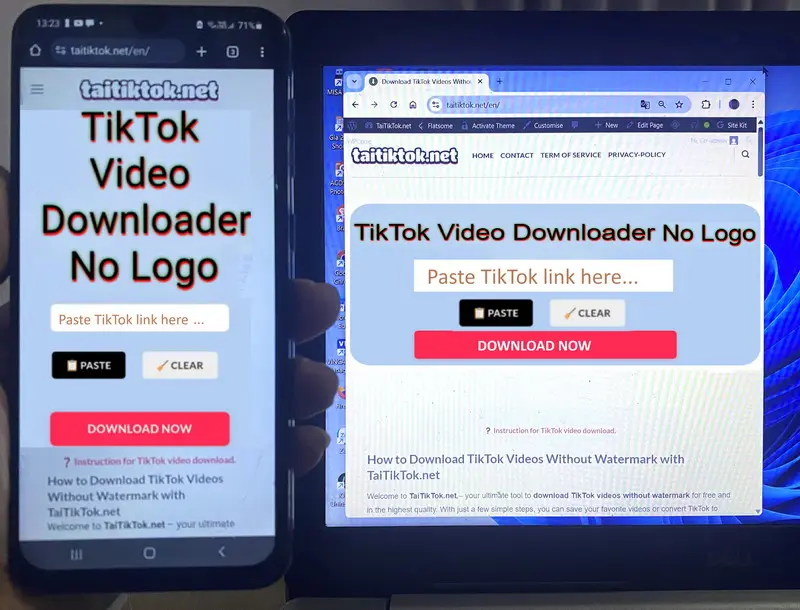
- Step 1: Copy the Video Link
Open TikTok and find the video you want. Tap the Share button and select Copy Link. (If the share button feels hard to use on iPhone, try long-pressing the video for 1 second).
- Step 2: Visit TaiTikTok.net
Launch your browser (Safari or Chrome) and go to: https://taitiktok.net/en/.
- Step 3: Paste and Save
Paste the link into the search box and hit Download. Within seconds, you can choose to save the video without a watermark or get the MP3 audio file.
Check out our detailed instructions here for more platform-specific tips.
Pro Advantages of Using 3 Easy Steps to Save TikTok Videos
Our 2026 infrastructure is built for:
- Blazing Fast Speed: Instant processing for any TikTok link.
- Total Privacy: We never track your downloads or personal data.
- 100% Free: No hidden costs or registration required.
FAQ – Common Questions
- Where are videos saved? Usually in your device’s Downloads folder or Photos app.
- Does it work on iPhone? Yes! Just use Safari for the smoothest experience.
- Limitless Downloads: There are no daily limits on how many videos you can save.
Conclusion
Saving TikTok videos without a logo is now faster than ever with TaiTikTok.net. Bookmark our site and share it with friends if you find it useful!
